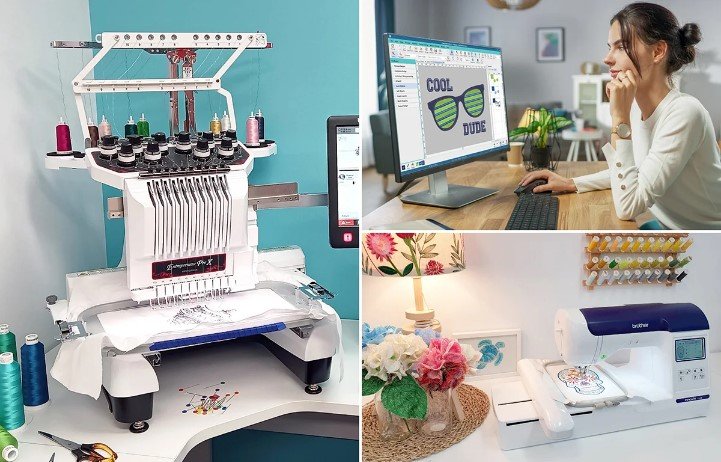
You have a lovely design that is prepared for embroidery. After digitizing it, you load it onto your computer and press the start button. Colors misalign, fabric puckers, and thread snaps in a matter of minutes. What went wrong, you wonder? It’s a good machine. The thread is of high quality. The fabric is correct. Digitizing is nearly always the issue. You can prevent frustration, material waste, and failed projects by being aware of the typical errors made when digitizing embroidery designs.
The link between your artwork and your embroidery machine is digitization. On the production floor, minor mistakes in the digital file turn into major issues. However, if you know what to look for, you can identify problems before they damage clothing.
Allow me to guide you through the most typical digitizing errors and explain how to correct them.
Mistake 1: Using the Wrong Stitch Types
Different stitch types are required for different parts of your design. One common mistake made by beginners is using the incorrect one.
What takes place: Satin stitches are used for large areas that need to be filled. The design becomes heavy, rigid, and prone to puckering. For narrow columns that ought to be satin, you can also use fills. The edges appear haphazard and unclear. The text becomes unintelligible.
How to resolve it: Stitch types should be matched to design elements.
Text, borders, and narrow columns up to 12 mm wide can all be stitched with satin. They produce glossy, smooth edges that distinctly define shapes. Use them for thin elements, outlines, and letters.
Large solid areas are covered with fill stitches, or tatami. From a distance, they produce a textured surface that appears uniform. Use them for large shapes, backgrounds, and any space that is too broad for satin.
Running stitches are used for underlay, details, and fine lines. Without adding bulk, they offer structure.
The remedy in action: Take a look at your design. Determine the text and borders. Satin should be used for those. Find areas with a lot of background. They ought to be filled. Change the digitizing software.
Mistake 2: Incorrect Density Settings
Stitch density regulates the proximity of stitches to one another. If you do it incorrectly, the outcome can be anything from gap-filled messes to stiff boards.
What happens: The design feels like plastic, the fabric puckers, and the thread breaks all the time. Too light: the design lacks impact, colors appear washed out, and the fabric is visible.
How to resolve it: Density should be adjusted according to fabric type and design specifications.
Density settings between stitches for fills should be between 0.4 and 0.5 millimeters for the majority of applications. Depending on the width of the column, satin stitches require different spacing.
To avoid show-through, you might need a slightly higher density for light fabrics.
Lower density keeps heavy fabrics from becoming stiff and puckering.
Use less density and add more underlay for knits that are stretchy. The fabric must have space to move without causing the stitches to distort.
The fix in action: Test on scrap fabric identical to your finished garments. If it puckers, you may need to lower the density. If it shows through, you may need to increase density slightly.
Mistake 3: Skipping or Using the Wrong Underlay
Underlay is like a hidden foundation for professional embroidery. Skipping this step is like building a house without a foundation.
What happens: Skipping this step causes the fabric to shift. The edges of the fabric will sink into loose weaves. It will distort your design. Incorrectly done: Stretchy fabrics will still shift even if you put in an underlay. Heavy fabrics will be bulked up unnecessarily.
How to fix it: Provide an underlay that is correct for your fabric type.
Stable wovens like denim and twill can often be done using edge run underlay along your design. This is a basic type of underlay and will keep your fabric from shifting.
For stretchy knits, center run or zigzag underlay is added over the entire area. This provides a stable base that can move with the fabric.
For fleece or terry cloth fabrics, more underlay is needed so stitches don’t sink into the nap. This may require multiple underlay layers.
For caps, special underlay is needed that takes into account the curved shape of the fabric. Center-out sequencing with the correct underlay keeps the design stable.
The fix in action: Identify the fabric type. In your software, the correct type of underlay is added. For stretchy fabrics, don’t be shy with the underlay. More is always better than less.
Mistake 4: Ignoring Pull Compensation
The tension in the threads draws the fabric together slightly during stitching. This means that a column you have designed to be half an inch wide may not be quite so wide. Not taking account of this effect is a common mistake for a beginner to make.
What goes wrong: The design comes out smaller than intended. The outlines do not match the fill. Text becomes squished or distorted. Registration shifts during color changes.
How to fix it: You can add a compensation for the pulling effect based on the fabric.
The compensation widens the design in the computer so that, after the pulling effect has been taken into account, the design comes out the correct size.
For stretchy knits, you can use higher compensation values, in the range of 0.3 to 0.4 mm.
For more stable fabrics, you can use a lower compensation, in the range of 0.1 to 0.2 mm.
Compensation for satin stitches is also important, as small columns may not appear if compensation is inadequate.
The fix in action: Measure your design after test stitching. Compare it to the size you want it to be. If it was too small, increase the compensation. If it was too large, decrease the compensation.
| Visit Biker Jacket Hub for more informative Blogs. |
Mistake 5: Poor Stitch Path and Color Sequencing
The manner in which your machine sews affects everything from the speed at which it sews to the quality of the final product.
What’s going wrong: Too much trimming and jumping around wastes valuable time. Colors are sewn in illogically, so thread color has to be constantly changed. The machine goes back over areas that have already been sewn, crushing the stitches. Long jumps are made in areas where there is no stitching at all, leaving loose threads on the back.
What you can do to fix it: Plan the stitch path and the color sequence in a logical manner that makes the most of your machine’s efficiency.
For each color, optimize the stitch path. Stitch connected areas in a logical order. Avoid jumps between separate areas. When jumps are unavoidable, make them short.
Stitch player is a feature that can be used in your software. This feature shows you how your design will sew out. Look for unnecessary stitches. Look for areas where the needle jumps over large distances. Adjust your stitch path.
For multi-color designs, think about color layers. If dark layers are under lighter layers, they might shadow through. Sequence your layers carefully.
The fix in action: Open your design in your software. Stitch simulation is usually available. Watch your design sew. Every time the machine moves without stitching, ask yourself, “Is this necessary?”
Mistake 6: Starting with Poor Artwork
This error creates so many problems further down the line. Garbage in, garbage out certainly applies to embroidery.
What the problem looks like:
Blurry images mean blurry embroidery. Guessing what the details are due to low resolution. Intricate gradients causing confusion for the digitizing software. Tiny text that cannot be read.
What the solution looks like:
The solution starts with the cleanest, most pristine artwork that you can find.
If you have access to vector images (AI, EPS, or SVG), that’s the best option. They offer clean lines and infinite scalability.
If you’re stuck with a raster image, try to get it in the highest resolution possible. At the very least, 300 DPI at your stitch size.
Try to simplify the design as much as possible. Fewer colors, no gradients, enlarge the text. The cleaner the original, the cleaner the embroidery.
What the solution looks like:
Take a closer look at the original artwork before you even think about digitizing it. Zoom in on it and check for pixelated areas, stray pixels, and blurry images.
Mistake 7: Forgetting About Fabric Type
Each fabric has its own unique characteristics. Digitizing for one fabric and then using it for another is a recipe for disaster.
What happens: A design digitized for denim does not behave well on performance knit. A design digitized for stable cotton does not behave well on stretchy fleece.
How to fix it: Always digitize with the fabric in mind that you are using.
Keep notes on the settings that work well with each fabric that you use. Create a reference library of fabrics and settings.
Test on the fabric that you will actually be using. Not similar fabric. Not fabric from another project. Fabric that you actually plan to use for the project.
The fix in action: Before digitizing a new project, ask yourself: What is the fabric? How does it behave? Does it stretch? Is it thick or thin? Does it have nap?
Mistake 8: Not Testing Before Production
This is the most common and costly mistake of all.
What happens: You trust your file and load it. Then, you sew 50 shirts before realizing that your registration is off. Now you’ve ruined 50 shirts. Or, you test your design on one fabric and see that it works beautifully. Then, your final fabric is different, and your design fails.
How to fix it: Test your design by sewing a test stitch on scrap fabric that is identical to your final fabric.
Check everything. Check your tensions. Check your registration between colors. Check your edges for fraying. Hold your fabric up to the light and check your back. Does your design lay flat? Does your design pucker? Are there areas where your fabric is showing through?
If anything is not right, go back to your master file and correct your design. Then, export a new machine file and test again. Continue this process until your test is perfect.
The fix in action: Make testing a part of your process. Plan your day to include test stitches. Don’t skip this step, even if you’re in a hurry. One test sew-out can save you hours of aggravation and many ruined shirts.
Mistake 9: Losing Master Files
You digitize a nice design and export a DST file for your machine. Months go by, and a customer wants that same design but a different size. You go to your DST file to resize it and soon discover that you cannot edit it. DST files cannot be edited.
What is happening: Because your original file cannot be edited, you are at a loss. You cannot easily resize your design. In essence, you will have to redigitize from scratch or have someone else do it for you.
How to fix it: It is vital that you save your working files in your software’s native format. For Wilcom, this is EMB files; for Hatch, this is .HATCH files. These files will be your master files and will contain all your design intelligence. Should you need to edit your design, simply edit your master file and export a new file for your machine.
The fix in action: Create a system for your master files. Give them good names and store them in cloud storage and local drives. They are your master files and are valuable. Treat them that way.
Mistake 10: Overcomplicating Designs
More is not always better. Too many details cause problems.
What happens: Too many colors cause problems with thread changes. Too many details cause problems with filling in or breaking. Too many stitch types cause problems with understanding.
How to fix it: Simplify. Remove details that do not stitch in well. Reduce colors to only what is necessary. Be smart about stitch types. Do not choose stitch types randomly.
The fix in action: Before finalizing your design, ask yourself if every detail is really necessary. Can you reduce the number of colors? Can you simplify this detail?
When to Call the Pros
Even experienced digitizers sometimes need help. Logos that are complicated with many details, multiple colors, and/or small text can benefit from a professional. If you are short on time and need a rush order completed quickly with a deadline to meet, sometimes it is better to call a professional digitizer.
Professional digitizing services such as Absolute Digitizing, Digitizing Buddy, Cool Embroidery Design, and Absolute Digitizer have teams of experienced digitizers that can help you with problems such as this every day.
Conclusion
The process of digitizing an embroidery design is something that can only be perfected with experience and an understanding of the common mistakes made in the process. The common mistakes include the type of stitch used, density, skipping underlay, compensation, pathing, artwork, fabric selection, testing, masters, and overcomplicating the design. All these can be corrected if you are aware of the mistakes.
First, you should start with clean artwork. You should select the type of stitch based on the design. You should also select the density based on the fabric type. You should add underlay to the design. You should also add compensation to the design. You should also test the design. You should also save your masters. You should also avoid overcomplicating the design.
If you get all these rights, you can have flawless embroidery. You can have less thread breaks. You can have quality work. You can have happy clients. You can have your logo looking its best with embroidery. You can have every stitch in the right place if you avoid these common mistakes.